Why talking is faster than typing a task
Typing a task forces you to compress a thought before you've finished having it — you stop, decide what the short version is, and write that instead of what you actually meant. Talking doesn't have that filter. You can think out loud, backtrack, add the context that matters, and say "actually, ignore that last part" without losing the thread. The tradeoff has always been that a voice memo is a worse task than a typed one — it's a recording someone has to listen to, not something they can scan in two seconds.
That tradeoff is what AI transcription actually closes. The speed of talking, with the scannability of a typed task, both at once.
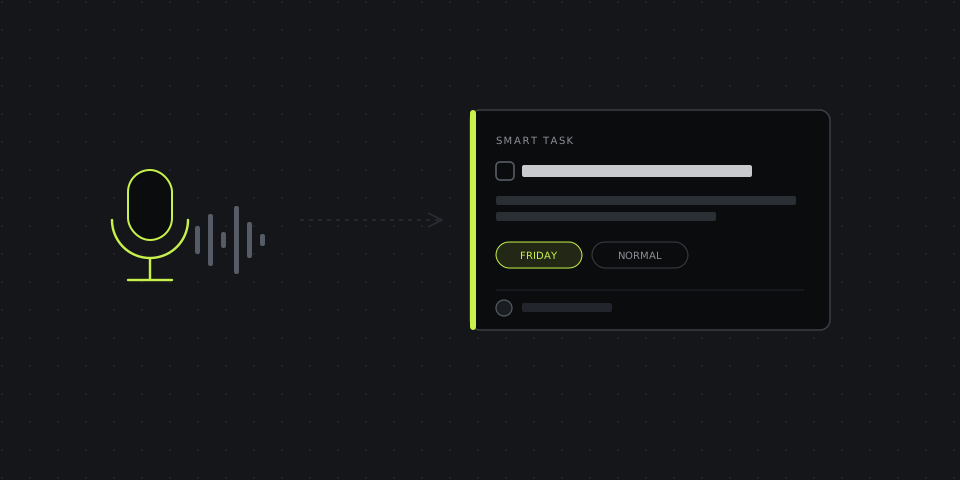
What happens between "record" and "task"
The pipeline behind a voice-to-task tool is usually three steps, even when it looks instant from the outside:
- Transcription — your speech becomes text, word for word, including the filler and backtracking.
- Extraction — an AI model reads that transcript and pulls out what's actually a task versus what was just thinking out loud, dropping the "um"s and false starts.
- Structuring — the extracted items get a title, and where you mentioned one, a deadline, a project, or a person — turned into something that looks like a task someone would write by hand, not a wall of transcript.
The quality gap between tools is almost entirely in that middle step. Transcription is close to solved technology at this point — every major provider gets the words right. Deciding that "we should probably also check the invoice from last month before Friday" is one task with a deadline, not two separate ones, is the harder problem, and it's where a rough voice-to-task tool still just hands you the raw transcript with a checkbox in front of it.
How to speak so it turns into a good task, not a transcript with a bullet in front
You don't need to talk like a robot, but a few habits make the AI's job easier and the resulting task noticeably cleaner:
- Say the deadline as a real date or day, not "soon." "By Friday" or "before the client call Tuesday" gets extracted as a due date. "At some point" doesn't have anywhere to go.
- Name the project or client if you're juggling more than one. "For the Meridian account, we need..." gives the tool something to file the task under, instead of leaving it to land in a generic inbox you'll have to re-sort later.
- Separate unrelated tasks with a pause or "next." Three ideas run together in one breath are more likely to get merged into one messy task than split into three clean ones.
- It's fine to think out loud before the actual task. "I was looking at the numbers and — actually, can someone check why refunds spiked in March" — the tool's job is finding the task buried in that, not penalizing you for narrating your way there.
A worked example
What you'd actually say, walking between meetings:
"Okay so, before Friday we need to update the pricing page — the new plan isn't showing up. Also can someone check why the Meridian invoice bounced, that's kind of urgent, maybe today. And low priority but at some point we should archive the old landing pages, no rush on that one."
What comes out the other side, structured:
| Task | Deadline | Priority |
|---|---|---|
| Update pricing page — new plan not showing | Friday | Normal |
| Check why Meridian invoice bounced | Today | Urgent |
| Archive old landing pages | — | Low |
Three tasks, three deadlines, three priority levels — pulled out of one continuous 20-second ramble, with none of it requiring you to stop and format anything.
When typing still wins
Voice isn't the better choice in every situation. A task that's really just a URL, a short reference, or a single word reminder types faster than it talks — there's no ramble to extract structure from, so the extra step of speaking, recording, and waiting for transcription is pure overhead. Voice earns its speed advantage specifically when there's context to explain, not for the two-word tasks that don't need any.
It's also a worse fit anywhere genuinely silent — an open office, a shared space, a call you're half-listening to — where typing a quick note doesn't interrupt anyone and talking does.
Common mistakes that produce messy tasks
- Recording in a noisy environment. Transcription accuracy drops fast with background noise, and a garbled transcript means the extraction step has less to work with — the AI can't structure a task it misheard.
- Talking for five minutes about one task. Extra detail is useful, but a long recording that's really one action item buried in extensive context takes longer to review afterward than it would have taken to just say the task and stop.
- Never checking what got extracted. Structuring is good, not perfect — a quick glance at the resulting task before it goes into your project catches the rare case where a deadline or name got misread.
Not every task needs the same shape
A quick deliverable, a fast collaborative fix, and a quarterly goal don't read well in the same template — forcing all three into one fixed task format is part of why a lot of task tools produce lists nobody wants to write anything into. The three most common frameworks each fit a different kind of task:
- SMART — Specific, Measurable, Achievable, Relevant, Time-bound. Fits a well-defined deliverable: "update the pricing page by Friday" has a clear finish line.
- CLEAR — Collaborative, Limited, Emotional, Appreciable, Refinable. Fits fast-moving work done with other people, where the task might change shape as it goes.
- OKR — Objective and Key Results. Fits a goal measured by outcomes rather than a single action: "reduce churn this quarter," tracked by specific numbers, not a single checkbox.
DashShot picks between these automatically based on how the task was described, rather than forcing every voice note into one rigid form — a quick fix comes out as a simple, scannable task, while something described as an ongoing goal comes out with the measurable key results a goal actually needs.
Where this fits for teams, not just individuals
The same recording that becomes your own task list can also become someone else's — a voice note about a bug becomes a task assigned to the engineer who owns that part of the codebase, without you retyping what you already said out loud. DashShot's voice-to-task turns a recorded message into a structured task with a link the recipient opens directly, no account needed on their end, which matters most for teams working with freelancers or clients who aren't going to install a project management tool just to receive one task.