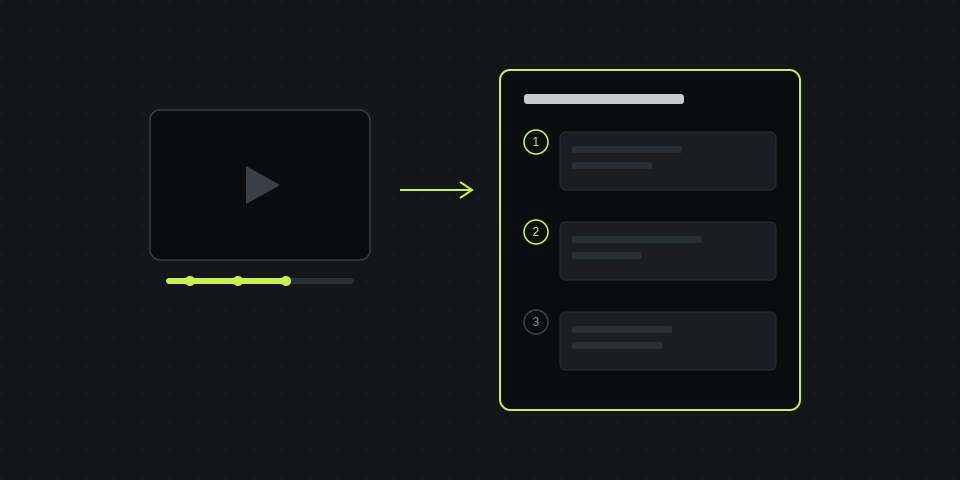
What Scribe does well, and where people hit the limit
Scribe records your clicks in the browser and turns each one into a step with a screenshot and a line of text. You get a shareable guide in the time it takes to do the task once. That part works, and it is why "scribe alternative" is a search people make after using it, not instead of it.
The reasons to look elsewhere are on the pricing page (scribe.com/pricing, checked November 23, 2026):
- Free is web only. Basic has the Chrome and Edge extensions. "Capture desktop processes" is not ticked, so guides for Excel, an ERP client or any desktop app need Pro.
- No editing or redaction on free. "Edit and redact screenshots" starts at Pro Personal. If a guide shows a customer's email, you can't blur it without paying.
- No export on free. "Export to PDF, HTML and Markdown" is also a Pro feature. Free guides live as links and embeds.
- Team pricing has a floor. Pro Team shows $13 and $17 per seat a month and "Starts at 5 seats". Pro Personal shows $25 and $35. The page has a monthly/yearly switch with "Save 20%", so the lower number is the yearly one.
One more detail: the plan card says "Create & share up to 10 guides" on Basic, while the comparison grid lower on the same page says unlimited guide creation. Check your own account before you plan around either number.
Scribe alternatives at a glance
| Tool | Best for | Free plan | Paid from | Captures |
|---|---|---|---|---|
| DashShot | Guide from a screen recording, plus screenshots | 10 AI actions a month (1 guide = 1 action) | $8/mo billed annually | Chrome, Windows, Mac |
| Tango | Closest to Scribe, on-screen guidance | 5 shared workflows, up to 10 users | $15/user/mo annually (3+ users) | Browser; desktop on Pro |
| Dubble | Free guides with redaction and PDF | Unlimited guides, PDF download | $18/mo annually, 3 creators | Chrome |
| Folge | Offline guides, one-time price | 5 guides, watermark | $89 once | Windows, Mac |
| Guidde | Narrated how-to videos | 25 how-to videos | $19 to $29 per creator/mo | Web; desktop on Business |
| iorad | Public tutorials for a product's users | Unlimited public tutorials | $200/mo | Web |
| Windows tools | Replacing Steps Recorder | Built in | Free | Windows |
1. DashShot: when the guide should start as a recording
This is our blog and DashShot is our product, so read this section with that in mind. It is here because it works differently from Scribe. Scribe builds a guide from clicks. DashShot builds it from a screen recording.
You record the process in the Chrome extension or the Windows or Mac app, with your voice if you like. In the result window you click "📄 Documentation". DashShot takes 10 key frames evenly across the recording, and AI writes a title for the process and a description for each step. The guide opens on its own page with the link already copied, every step can be edited, and readers don't need an account. You can export it to PDF, DOCX or Markdown. Details are on the video to guide page.
- Price: one guide costs one AI action. Free has 10 a month, Pro has 300 and costs $8 a month billed annually or $10 monthly. Screenshots with the editor are free without limits.
- What you get that Scribe Basic lacks: desktop apps on the free plan, a full screenshot editor with blur and pixelation, export, and the video itself next to the written steps.
- Where it is weaker: steps come from evenly spaced frames, not from each click. A 20-click process becomes 10 steps, so pause for a second on the screens that matter and trim dead time before you click "Documentation". There is no on-screen walkthrough mode like Tango's.
2. Tango: the closest match to Scribe
Tango (tango.ai) captures a workflow click by click in the browser, the same way Scribe does. The free plan allows 5 shared workflows in the team library and up to 10 users per workspace, and includes "Guide Me", which walks a colleague through the steps on screen.
Pro unlocks unlimited workflows, desktop capture, screenshot blur and annotation, branding, and export to PDF, HTML and Markdown. The pricing FAQ puts Pro Team at $15 per user a month billed annually or $20 monthly for 3 or more users. For 1 to 2 users the page shows $22 and $30. Automatic PII redaction, SSO and SCIM are Enterprise only.
Pick it if you like how Scribe works and need a cheaper per-seat price for a small team. Skip it if you need more than 5 guides without paying.
3. Dubble: the free Scribe alternative with export
Dubble is a Chrome extension that turns what you do into a written guide with screenshots. Its free plan is the most generous here for written guides: "Unlimited guides", unlimited sharing and exports, screenshot annotation, screenshot redaction and PDF download. "Magic Copy" pastes a guide into Notion, Confluence or Google Docs.
Video and audio recording are not on the free plan. Pro is $18 a month billed annually with 3 creators included and $6 a month for each extra creator, with a 14-day trial. SSO is marked "coming soon".
Pick it if you need exactly what Scribe Basic withholds (redaction and PDF) and your processes run in the browser. Skip it if the process lives in a desktop app.
4. Folge: offline guides on your own computer
Folge is a desktop app for Windows 10/11 and macOS 13+. It works offline and keeps every guide on your computer, which matters for SOPs in manufacturing, healthcare or anything a security team won't let into a cloud tool. It's a common answer to "scribe alternative for SOPs".
Free lets you use it without limits for 5 guides, with PDF export and a watermark. A personal license is $89 once and removes the watermark; a business license is $155 per seat once. Exports include PDF, Word, PowerPoint, HTML, Markdown, JSON and SCORM 1.2. The personal license covers one platform and one machine.
Pick it if guides must not leave the machine or you hate subscriptions. Skip it if you want a link that updates when you edit the guide; you send files instead.
5. Guidde: when the guide should be a narrated video
Guidde records a walkthrough and produces a how-to video with cursor effects, and on higher plans an AI voiceover in 50+ languages. The free plan includes up to 25 how-to videos with your own voiceover and a share link.
Paid plans are per creator, shown as $19 and $29 (Pro) and $39 and $59 (Business), with an annual switch that saves 34%. Free and Pro capture from the web; desktop and mobile capture are on Business. Pro exports videos, PPT and PDF.
Pick it if your audience watches rather than reads, for example customer onboarding. Skip it if people need to skim a step and copy a value.
6. iorad: public tutorials for software users
iorad captures web tutorials that a reader can follow step by step. The free plan has unlimited capture and unlimited public tutorials with no time limit. Private tutorials start with Individual at $200 a month, and Team is $500 a month with one seat included and $50 for each extra seat. Exports to MP4, Word, Google Docs and Google Slides are listed, and HTML and SCORM are Enterprise.
Pick it if you write public help content for a product. Skip it if guides are internal: free tutorials are public.
7. The Microsoft alternative: what replaced Steps Recorder
People searching for a "Microsoft alternative to Scribe" usually remember Steps Recorder (psr.exe), the Windows tool that saved a screenshot and a line of text for every click. Microsoft's support page now has a "Steps Recorder deprecation" section: the change started with the Windows 11 update in February 2024, which added a banner inside the app. Microsoft points to Snipping Tool screen recording, Xbox Game Bar (Win+G) and Clipchamp instead.
None of those builds a written guide. They give you a video or screenshots, and you write the steps yourself. For a quick guide on Windows the honest free route is a screenshot tool with numbered callouts: in DashShot that is the N tool in the screenshot editor.
Is there an open-source Scribe alternative?
We looked and did not find an actively maintained open-source tool that builds click-by-click guides the way Scribe does. If open source is a hard requirement, the workable setup is manual: an open-source screenshot tool for captures and annotations, and a Markdown file in your wiki for the text. If the real requirement is "our data stays with us", Folge's offline desktop app gets closer.
How to choose
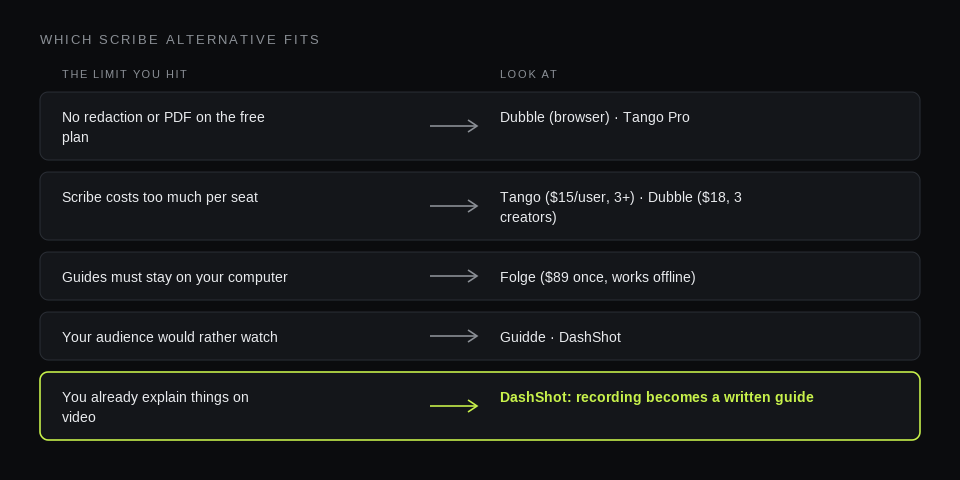
- You need redaction and PDF for free, browser only: Dubble.
- You want Scribe's way of working for less per seat: Tango.
- Guides must stay offline: Folge.
- Your users prefer watching: Guidde.
- You already explain things with screen recordings and want the written version too: DashShot. For a direct comparison with a video tool, see DashShot vs Loom, and for more recorders, Loom alternatives.